Paying into the pot
Your pot payments go straight to your organiser’s pot account, and your reference code is how the app knows the money is yours.
Find your card
Open your Profile (tap your avatar at the top right, or More → Profile) and scroll to 💰 PAY INTO THE POT. The first line gives your group’s cycle and fee.
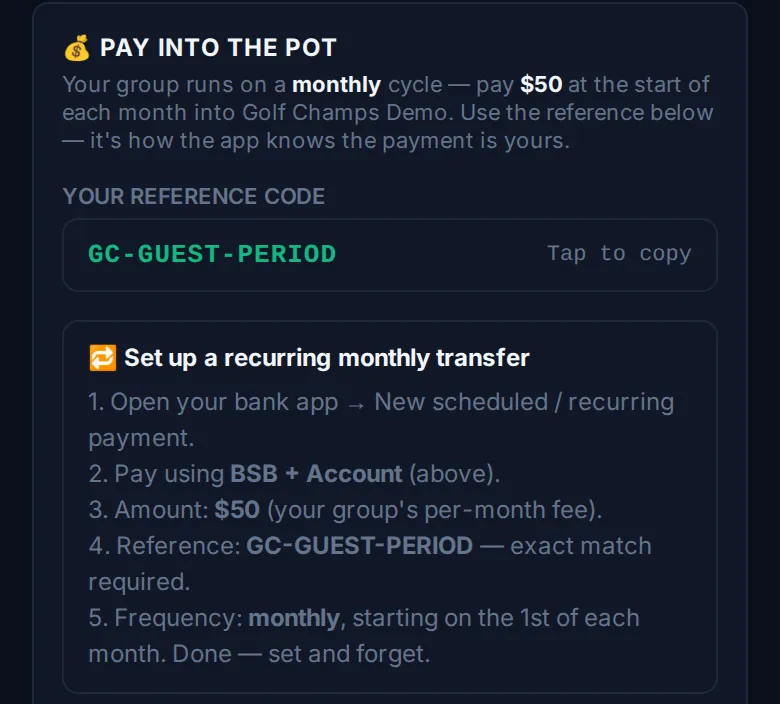
Your reference code
YOUR REFERENCE CODE belongs to you, and it’s how the app knows the payment is yours. Tap it (Tap to copy) and paste it into your transfer’s reference exactly as written. It stays the same every period.
SEND TO shows the pot account’s details, filled in by your organiser: whichever of the name, PayID, BSB and account number they’ve entered. Tap a line to copy it. If the card says the deposit details aren’t set up yet, ask your organiser.
Set it and forget it
Under 🔁 Set up a recurring monthly transfer (it says weekly or fortnightly if that’s your group’s cycle), the app lists five steps:
- Open your bank app and start a new scheduled or recurring payment.
- Pay to the PayID, or the BSB and account, on the card.
- Set the amount to your group’s fee.
- Paste your reference code. It has to match exactly.
- Set the frequency to your group’s cycle, starting when the card says. Done.
When you owe the pot
A trigger means you owe the pot, and every trigger gets its own reference, separate from your regular code. On Home, look under ⚠️ What’s owed: in the 💰 TO THE POT list, each row shows the amount and its reference, with a Copy button. Send that amount with that reference. A lost call-out or a missed target shows up the same way, with its own reference.
When a period’s fee is due, Home also shows a card with what you owe, the account details and 📋 Copy reference.
Who sees what
What’s owed has two views. Mine is only what you owe; when you’re clear it says You have no outstanding payments. Group is what everyone owes, name by name, with a tab for each person when more than one of you owes. Every member sees both.
Good to know
What if I get the reference wrong?
Tell your organiser straight away so they can match it to you.
Does my code ever change?
No. Your regular code stays the same every period. Triggers, lost call-outs, missed targets and top-ups each get a reference of their own.
Can I put in extra?
Yes. On the Pot tab, tap 💵 Top up the pot, pick an amount, add a note for the feed if you like, and tap Post it & get my payment code. No points, no obligation.
Can the group see what I owe?
Yes. The Group view under What’s owed on Home shows everything anyone owes, and the Balances tab on the Pot lists who hasn’t paid this period’s fee.
Who holds the money?
Your organiser, in their own account. Golf Champs never holds the money.
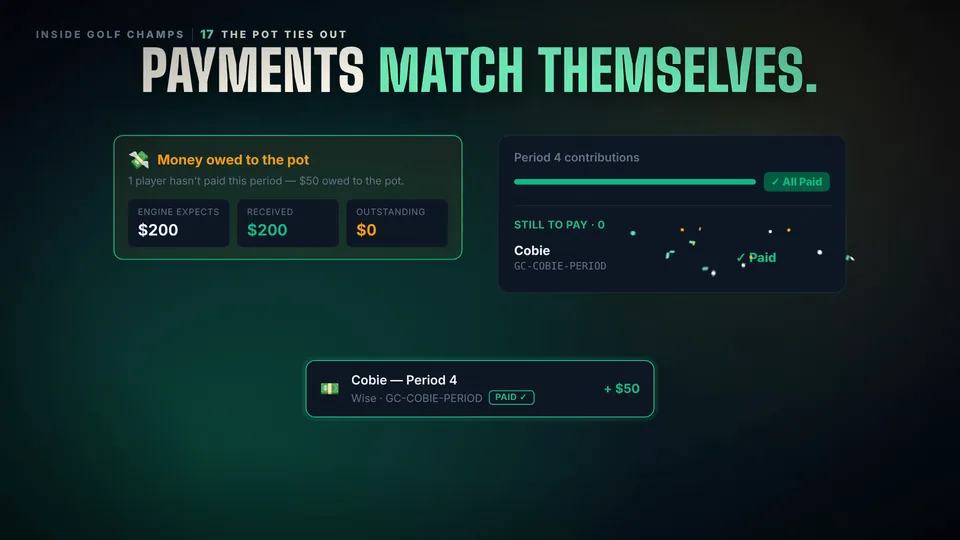 Watch the 25-second filmThe Pot Ties OutExpected, received, outstanding. They always add up, and Golf Champs never holds the money.