Your profile and settings
Your profile holds your details, your home course, how the app looks and which emails you get.
Getting there
Tap your photo at the top right, or open More → Profile. If you’re an admin, a Group Admin badge shows under your name.
Your details
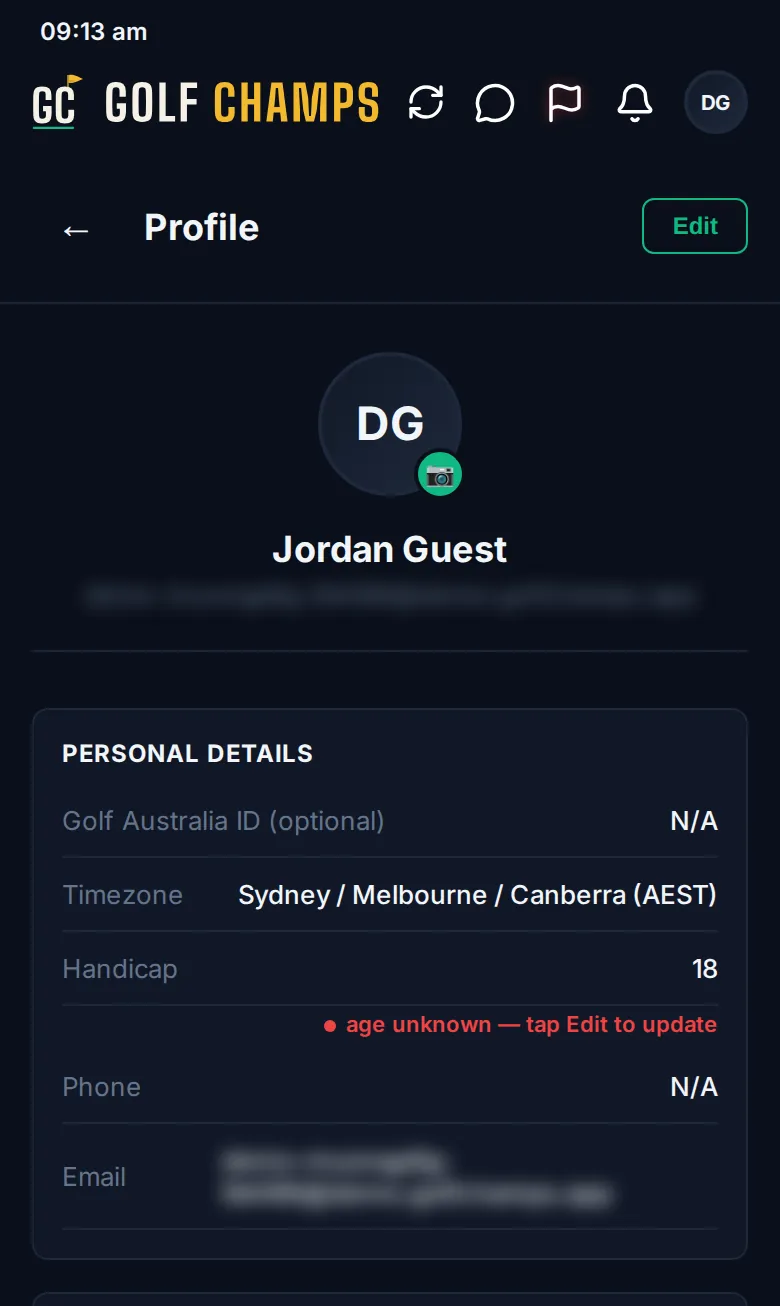
Tap Edit, change what you need, then tap Save, or Cancel to leave it.
- Your name: what your group sees.
- Handicap: type it the way it reads, like 14 or +2. If it hasn’t been updated in 30 days, a yellow dot appears beside it and the app asks you to check it when you next submit a round. After 90 days the dot turns red.
- Golf Australia ID (optional), Phone and Email.
- Timezone: the app shows times in your phone’s zone and falls back to this one. If your phone is set to a different zone, Edit offers to switch to it.
For a new photo, tap the camera on your picture (JPG, PNG or WebP, under 2MB). Remove photo takes it off.
Home course
Tap the Home Course card and pick the course you play most. It’s the course Home Turf is played on, so set it here even if you typed one when you signed up. Clear home course removes it.
Appearance
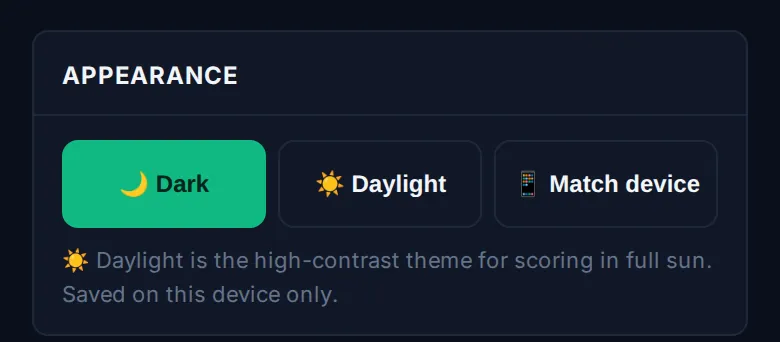
Choose 🌙 Dark, ☀️ Daylight or 📱 Match device. Daylight is the high-contrast theme for scoring in full sun. Your choice is saved on that phone only.
Emails, groups and signing out
- Under Settings, Notifications chooses which emails you get. Set each kind to Group default, On or Off, or use the master switch to mute the lot.
- Help & Support, also under Settings, opens this help centre and the video guides.
- The Pay Into The Pot card is covered in Paying in.
- To switch groups, open More and tap Active group at the bottom.
- Leave Group takes you out of this group. You can rejoin later with an invite code.
- Log Out is the last item under Settings.
Good to know
Where are my stats?
Tap your own name in Top Players on Home, on the Board, or in Members (then View Full History). See Player profile and the Your Profile video.
I can’t see Leave Group.
Admins can’t leave a group. Ask the owner to remove your admin role first. If you’re the owner, hand the group to another admin in Group Settings, and they can then remove yours.
What’s the yellow dot next to my handicap?
Your handicap hasn’t been updated in 30 days. Tap Edit, check the number and tap Save.
I picked Daylight but my other phone is still dark.
Appearance is saved on each device separately. Set it on each one.
What’s the Support access section?
It only appears if Golf Champs support has viewed the app as you to look into a problem. Those sessions are read-only, and every one is listed there.