The app at a glance
Five tabs along the bottom, a row of icons along the top, and everything else one tap away in More.
The five tabs
- Home: what’s happening in your group right now.
- Score: start a round and score it hole by hole, or type in a finished card. See Scoring a round.
- Board: the full leaderboard, this period or the whole season. See The Board.
- Pot: the trip pot, its goal and how long is left. See Trip Pot.
- More: everything else.
On a Champ Day there’s no Pot tab, and once the day is closed the Score tab goes too.
Along the top
- The refresh arrow pulls in your group’s latest, and loads the newest version of the app if there is one.
- The chat bubble opens Group Chat. A red number shows unread messages.
- The flag is The Double Flag: wave yours or see who’s flagged. It lights up when yours is up. There’s no flag on a Champ Day.
- The bell holds your notifications, your pre-round brief and any upcoming Major.
- Your photo (or your initials) opens your profile.
Home
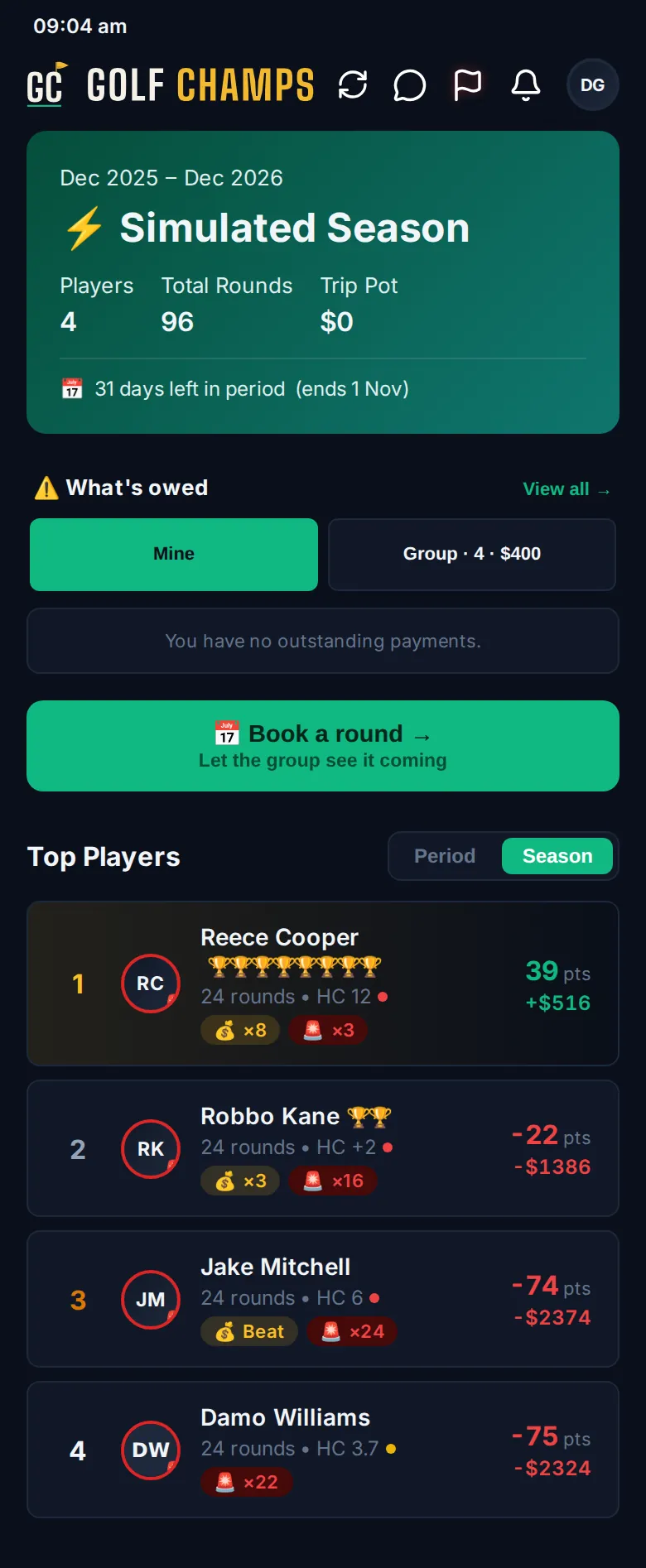
- The season card shows the players, total rounds, the trip pot and the days left in the period. In the last three days it becomes a countdown.
- When anything’s owed, What’s owed lists money still due to the pot. Switch between Mine and Group. See Paying in.
- Book a round tells the group when you’re playing next. See Booking a round.
- Top Players shows the top four on GC points, for the Period or the Season (on a Champ Day, by the day’s balance). Tap a name to see that player’s profile.
- Recent Activity is the group’s feed. Filter it with ⛳ Golf, 🏴 Raids, 💥 Blunders or 📡 Live, tap Involving me for just your rows, and tap ▼ Details to open one. View All Rounds → opens Round History.
When they’re on, Home also shows who’s on the course now, your next booked round, an upcoming Major and any poll waiting for your vote.
The More menu
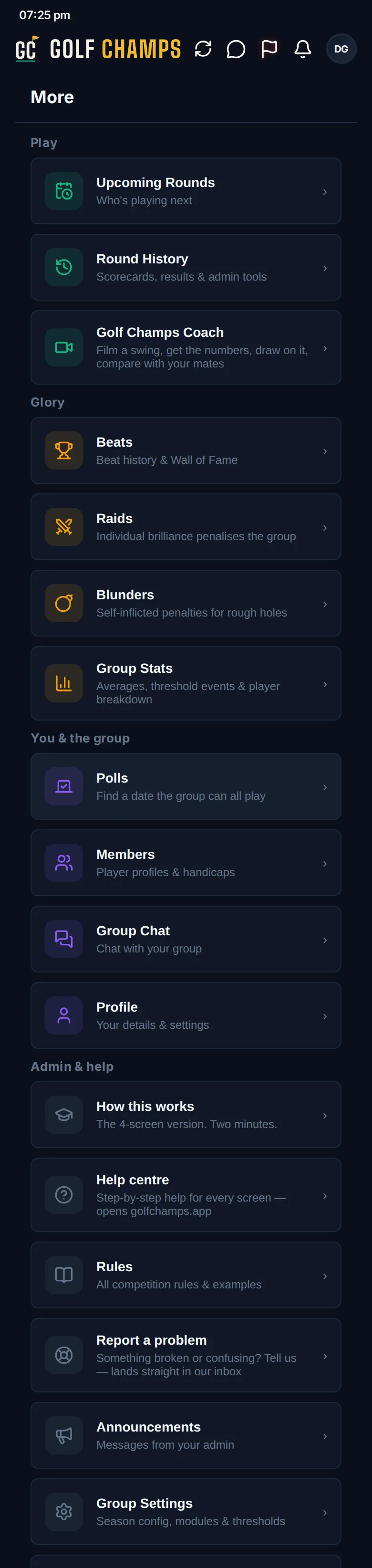
- Play: Upcoming Rounds, Round History and Golf Champs Coach.
- Glory: Beats, Raids, Blunders when they’re switched on, Group Stats, and Award Night if your group runs one.
- You & the group: Polls, Members, Group Chat and Profile.
- Admin & help: How this works, Help centre, Rules, Report a problem, Announcements and Group Settings.
At the very bottom, Active group switches between your groups.
Good to know
Why is there no Pot tab?
You’re in a Champ Day group. A Champ Day has no trip pot.
The app’s showing names I don’t know.
You’ve probably tapped the Golf Champs logo, which switches to sample data. Tap EXIT on the DEMO MODE banner, or tap the logo again.
Something looks out of date.
Tap the refresh arrow at the top. It fetches the latest from your group and updates the app if there’s a new version.
Why can’t I switch groups?
You’ve got a round on the go, and a round saved with 💾 Save & Exit still counts. Submit it, or cancel it from Settings on the round, then switch.