Round History and Round Detail
Round History keeps every card your group has put in this season, and any round opens into a full breakdown of what it did.
The list
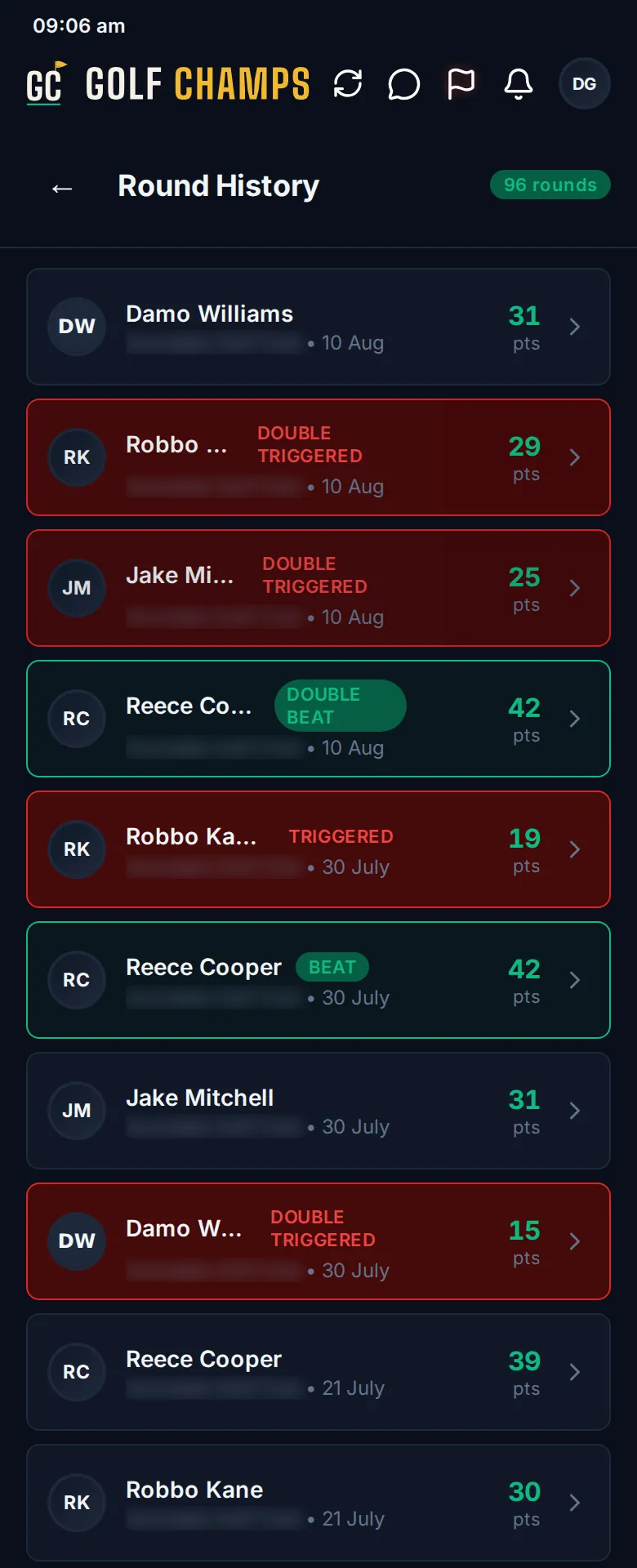
Open More, then Round History, or tap View All Rounds → under Recent Activity on Home. Every round of the season is there, newest first, with the player, the course, the date and the stableford points. The tags tell the story:
- BEAT or TRIGGERED: the round crossed your group’s top or bottom line. DOUBLE BEAT or DOUBLE TRIGGERED means it crossed twice.
- 🚩 2×: a Double Round, from the Double Flag.
- 🏆 2×: a Major.
Inside a round
Tap any round to open Round Detail. From the top:
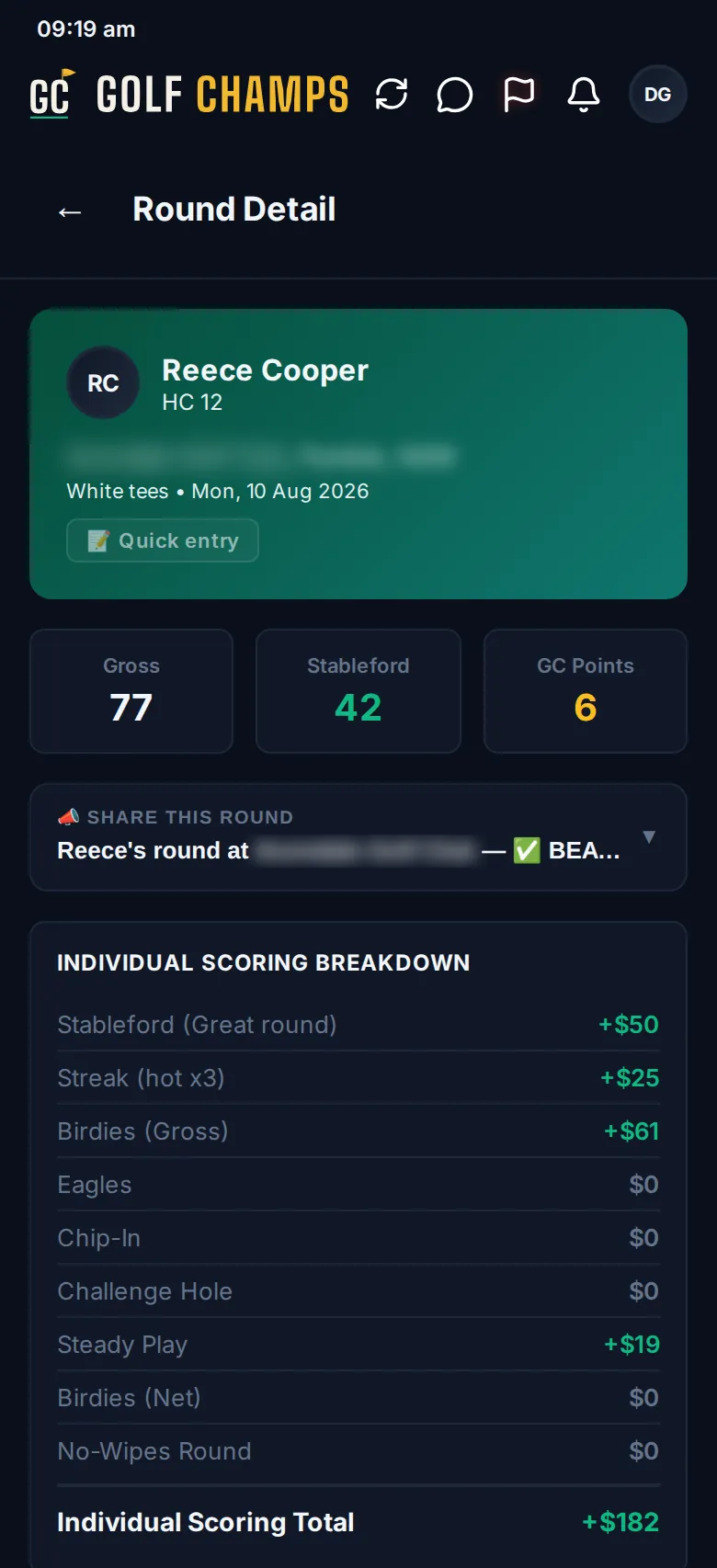
- The player and their current handicap, the tees and the date, with pills for 📝 Quick entry or LIVE-SCORED (and how long it took), a comp round’s Daily Handicap, or 🚩 DOUBLE ROUND.
- Gross, Stableford and GC Points.
- 📣 SHARE THIS ROUND: tap to preview a recap, then 📣 Share to send it from your phone, wherever your group chats.
- Individual Scoring Breakdown: every scoring line, then the blunders, adding up to one total.
- How This Round Played Out: that total plus side games and Home Turf, making the round total.
- Balance Update: the previous balance plus the round gives the balance after it, then the beat, survive or trigger and its GC points.
- Round Events: raids the round fired (tap one to see who lost what), streaks, blunders, side games, birdies and eagles.
- Same-Day Raid Events: raids from other rounds that day that hit this player’s balance.
- Scorecard: both nines, with the gross and points totals.
- How your group unfolded (or How your round unfolded for a round played alone): the balance of everyone who played together that day, hole by hole. Tap a name to show or hide it, up to four at once, and tap the End dot for the breakdown.
- 💬 Add a comment at the bottom (or the comment count, once there are some) opens the thread.
Watch it explained in Every round, itemised.
Something wrong on a card?
Tell your organiser. They can fix one hole or the whole card, or remove the round. When a card is corrected, the app works out everything it touched again: raids, the beat or trigger, and other players’ balances. The group gets a card in the feed and an email saying what changed, and the round shows who edited it.
Good to know
Can I see my mates' rounds?
Yes. Every round in the group is there, and anyone in the group can open it.
What do the GC Points mean?
Each time a round crosses the top line it’s worth 3, a round that crosses neither line is worth 1, and each trigger costs 3. A Double Round or a Major doubles them. See Beats and Triggers.
Why has my balance moved since this round?
Raids from rounds put in later move it again, and a new period starts it again. The Balance tab on your player page lists every move, day by day.
Can I fix my own card?
No. Only your organiser can correct a round. Tell them which hole was wrong.
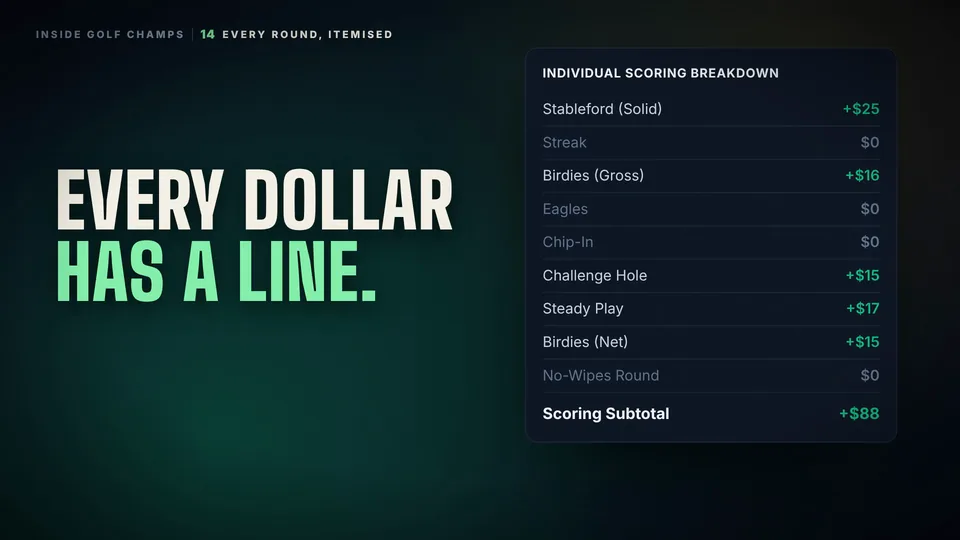 Watch the 25-second filmEvery Round, ItemisedOpen any round and it’s itemised: every scoring line, the blunders, Home Turf, and where it left your balance.