Scoring a round
Every round starts on the Score tab: pick the course, score it hole by hole or type the card in at the end, and the app works out the rest the moment you submit.
Set up the round
- Tap Score at the bottom of the app and pick the course. Your home course and recent courses come first, or search. Booked in for today? 📅 Your booked round sits at the top and fills in the course and players for you.
- Pick your tees.
- Tick who’s on the card, up to four, and tap Next. You’re on it already.
- Check each handicap and tap Confirm & Continue. For a club competition, switch on Comp round? and enter each player’s Daily Handicap from the printed card.
- The last screen, Your Challenge Hole, shows each player’s hole. The app picks it from your shots today, and three or more net stableford points on it earns a bonus if your group plays it (scratch and plus markers need a gross birdie). Answer Any temp holes in play today?, pick any side games and choose your Starting Tee.
Hole by hole, or all at the end
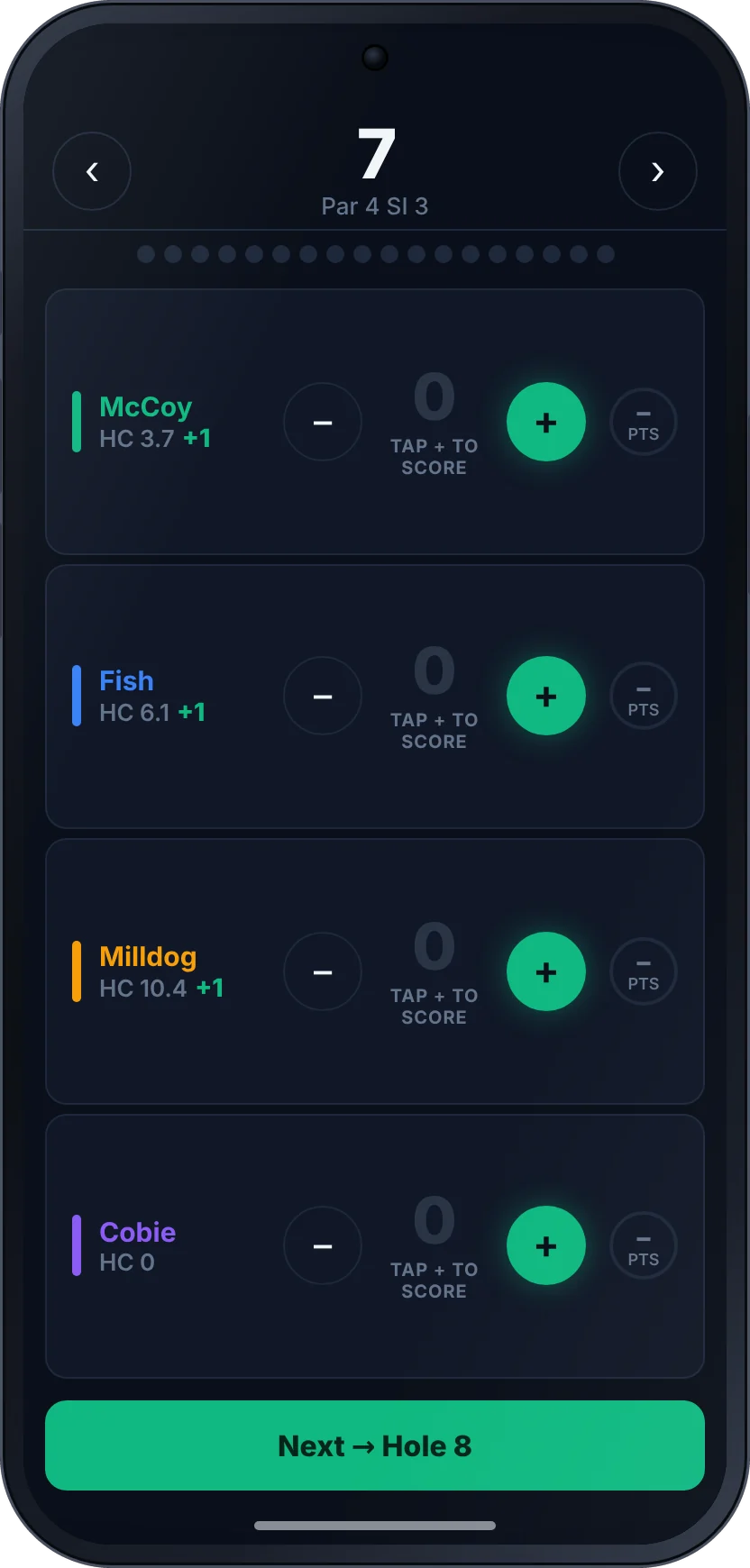
Tap Start Round (Hole-by-Hole) to score as you play. The first tap on + sets par; adjust from there. Under each player are Pickup, Chip In (to claim a chip-in) and 3 Putt (for Snake), plus 🎯 NTP on par 3s when Nearest the Pin is on. When everyone on the card has a score, tap Next → Hole 2. The group can watch you live, and a RAID! banner pops up the moment one lands.
Rather type it in afterwards? Tap Quick Entry (type all 18 scores) and fill in the grid (type P for a pickup), or tap Import Scorecard to read a screenshot of your card.
Submit
On the 18th, once every player on the card has a score for every hole, the button becomes ✓ Submit Round. In Quick Entry it’s ✓ Submit All Rounds when there’s more than one player on the card. If you typed the card in, or you’re submitting the day after, the app asks When was this round played? so it lands on the right day.
The moment the card lands, the app reads it: raids, blunders, a beat, survive or trigger, GC points, side games and Home Turf. You’re taken back to Home, the group gets the round by email, and it’s in Round History.
If you can’t finish
- A hole you didn’t finish: tap Pickup. It scores zero and counts as a wipe.
- Stopping for now: tap Settings, then 💾 Save & Exit. Tap Score again to carry on.
- Not finishing at all: tap Settings, then ✕ Cancel Round, then Abandon. Nothing is recorded.
Good to know
Can one person score the whole four-ball?
Yes. Tick up to four players and each round lands under its own name. Round Detail shows who submitted it on their behalf.
What if the app closes mid-round?
Your round is kept as you go. Next time you open the app, Round in Progress asks you to Continue Round → or Abandon Round. On a different phone, open Home and tap Resume on your row under On Course Now.
Can I put in a round I forgot to submit?
Yes. Use Quick Entry, and set the real date when the app asks When was this round played? If your Double Flag is up, it goes on the next round you submit, even a backdated one.
What's a mulligan?
If your group allows them, entering a card on your own with Quick Entry shows 🎲 Use a mulligan on this round. The golf stats still count, but the round doesn’t touch your balance and no beats, triggers or raids fire. You get a set number a season, and a Double Flag round can’t be mulliganed.
My handicap's changed. Do I fix it first?
On a social round, change it on the handicap step with the minus and plus buttons and the new handicap is saved. If yours hasn’t been updated in 30 days, the app asks Is your handicap still right? when you submit.